Top China Wall Mounted Document Camera Factory & Exporters
A procurement-level white paper on wall-mounted visualizers, 5.8G wireless document cameras, 8MP/13MP auto-focus scanners, and OEM camera modules from Shenzhen for education, government, finance, and systems-integration buyers.
8 Wall-Mount-Ready Document Cameras and Visualizers for OEM Procurement
The eight models below come from Eshuni’s document-camera and visualizer range. Because wall mounting is a system decision — bracket, arm length, cable route, capture area, and software all interact — each card explains where the model fits. Final wall-mount configuration, bracket design, and cable management should be confirmed with engineering during RFQ. All product URLs below are preserved from the existing catalogue.
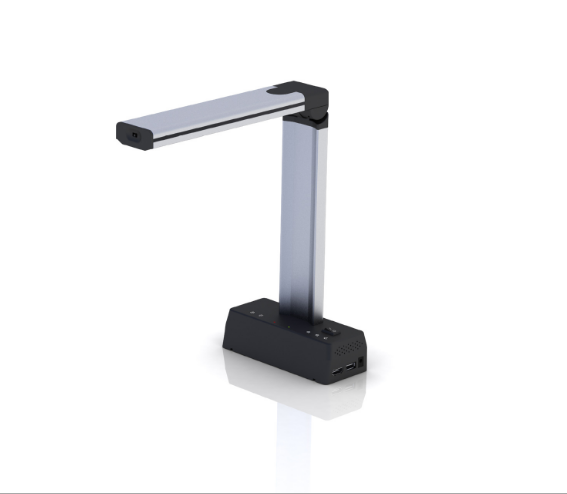
WIFI Document Camera Visualizer Wireless 5.8G WIFI OEM ODM Document Scanner for Education or Office
A 5.8G wireless visualizer for classrooms and offices where cable runs are difficult. In a wall-mounted project, the camera head can be positioned over a demonstration desk or book station while the transmission path stays independent of congested 2.4G networks. OEM/ODM support covers buyer branding, packaging, and interface planning.
View product details
Visual Presenter HD Camera 8MP 13MP Auto Focus Document Camera Scanner Online Educational Equipment Book Camera
8MP and 13MP auto-focus options make this visual presenter useful for online teaching, textbook demonstration, and fixed document-capture points. Buyers typically choose 8MP for A4 lesson content and step up to 13MP when A3 pages, fine print, or zoomed archival review must remain legible.
View product details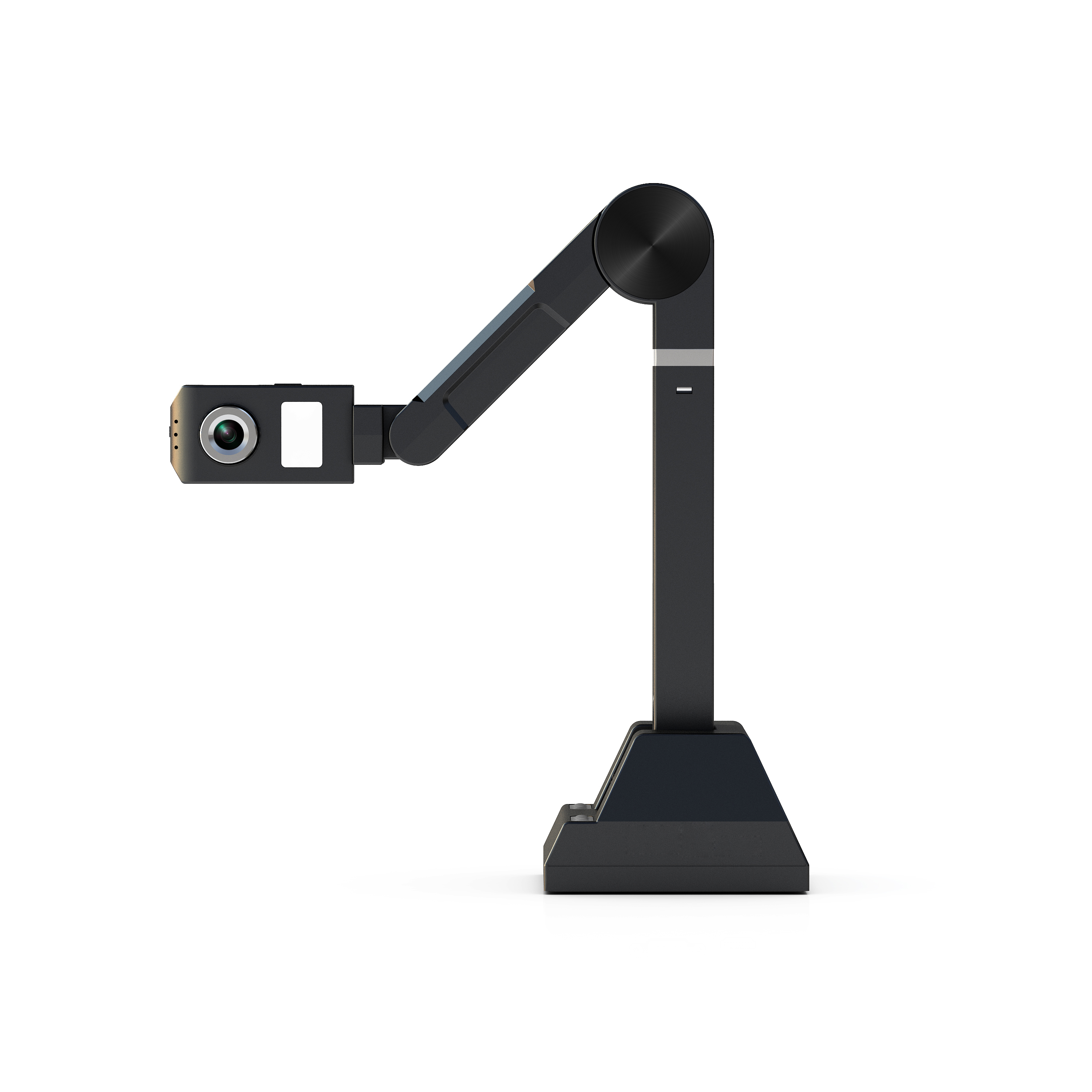
New Design HD Camera 8MP 13MP Auto Focus Document Camera Scanner Online Educational Equipment
A newer housing platform for buyers who want a modern visualizer for private-label or tender programs. The 8MP/13MP auto-focus capture engine is aimed at online education and office document sharing, with customization available for branding, packaging, and project-specific interfaces.
View product details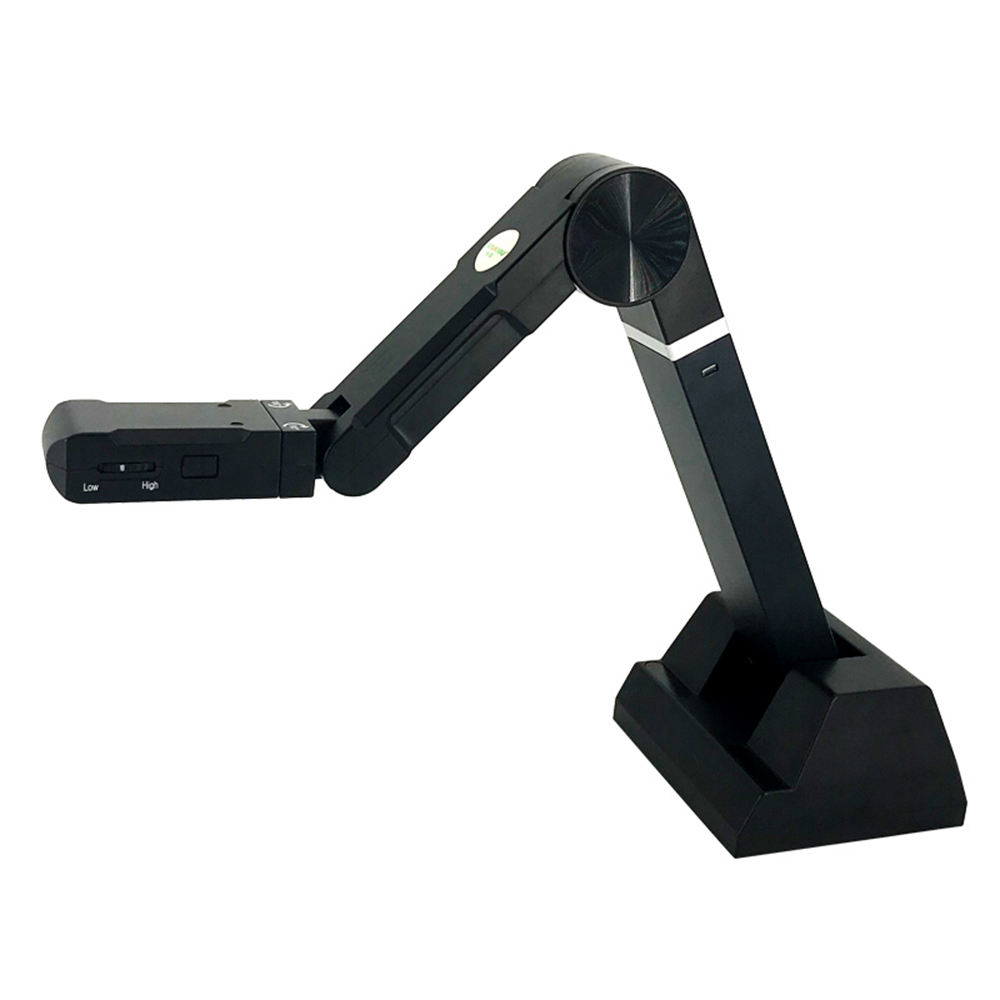
Document Camera High Quality OEM Portable WiFi Camera Scanner Multi-Interface Visualizer for Scanning Book Document
A portable WiFi scanner/visualizer with multi-interface flexibility. It suits mobile teaching, library workstations, and shared offices where a permanent wall position is not practical. For wall-mounted programs, it can serve as a secondary or portable capture unit alongside fixed visualizers.
View product details
Wireless Robotic Frame Book Scanner Document Camera A3 A4 Size Management Document Scanner for Online Class
A frame-based book scanner concept for A3/A4 documents and online classes. The robotic frame helps standardize page placement and repeatable capture — a useful direction for records rooms, libraries, and schools that need consistent document images rather than ad-hoc snapshots.
View product details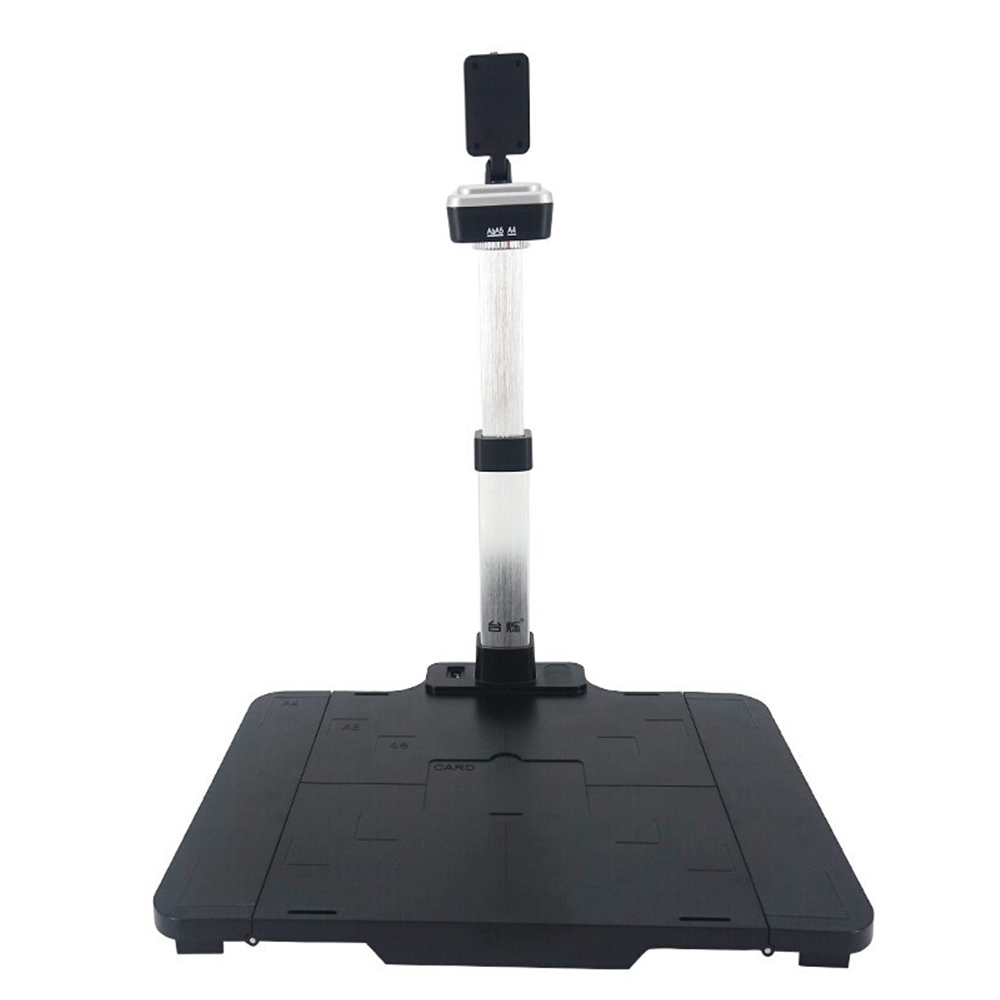
OEM HD 5MP Double Camera Document Camera Scanner for Government Document Camera
An OEM dual-lens document camera built around government-counter workflows. Two camera viewpoints can support document capture plus scene or operator context; final lens configuration, software handshake, and privacy rules should be specified with engineering before deployment.
View product details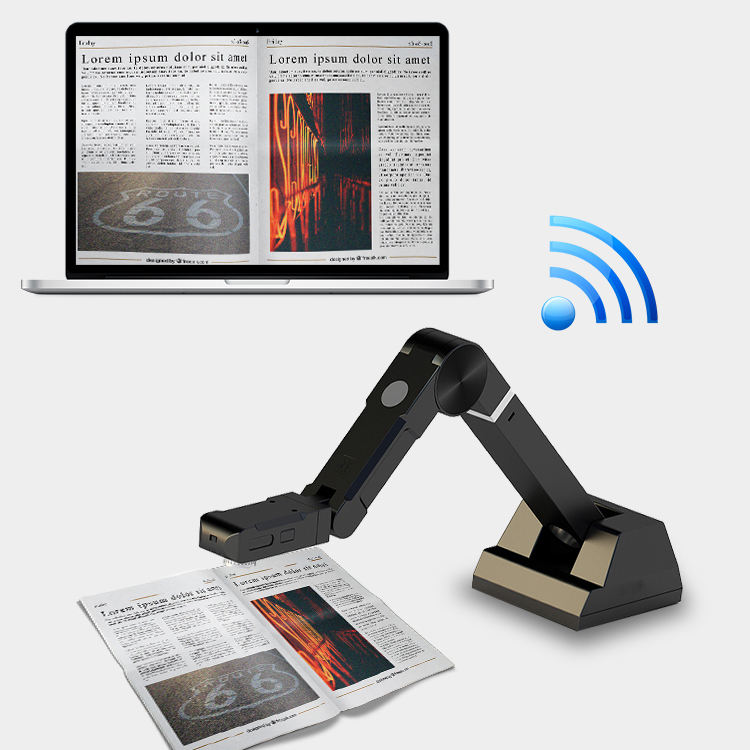
Visualized Handheld HD USB A4 Book Scanner A3 Automatic Management Document Scanner Camera
A handheld HD USB scanner/camera for A4/A3 book and document capture. It fits field officers, classroom aides, and office teams that need fast ad-hoc digitization. For wall-mounted kiosks, it can be paired as a service-window capture tool when a fixed overhead view is not sufficient.
View product details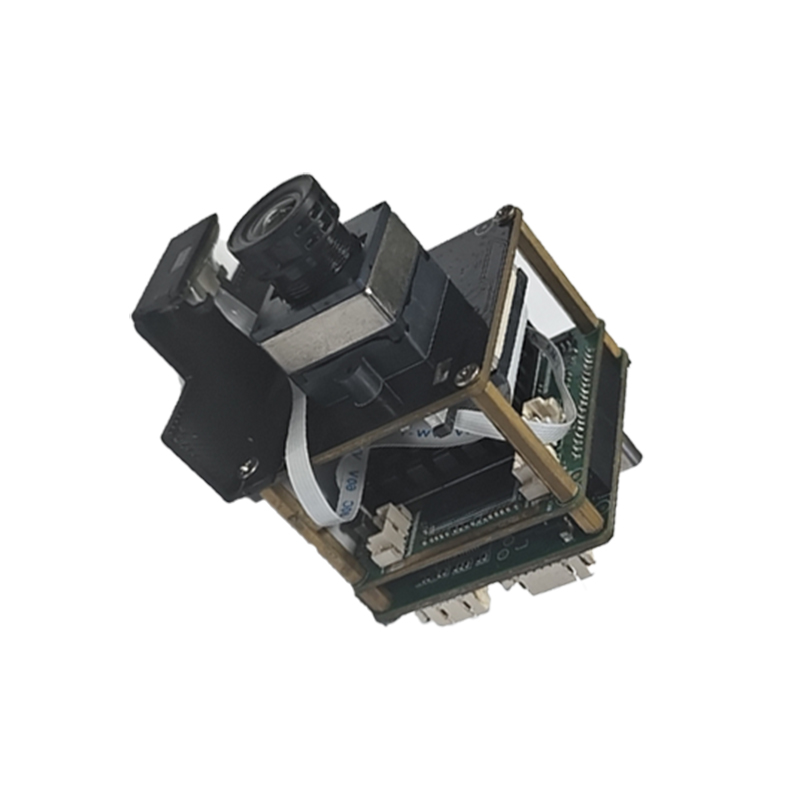
Factory Customized HD Live Streaming Conference/Teaching 4K Camera Module Compatible with Multiple Systems
A factory-customized 4K camera module for conference and teaching systems. This is an OEM building block for wall-mounted visualizers, huddle-room cameras, and integrated teaching carts. Buyers can discuss lens, interface, housing, and firmware requirements as part of a module-level project.
View product detailsWhat Buyers Really Mean by “Wall Mounted Document Camera”
Semantic search intent here is broader than a product photo. Procurement teams are comparing a fixed camera position, a shared visualizer, an overhead scanner, and a hybrid classroom capture system.
When a buyer searches for a wall mounted document camera factory or China document camera exporters, the decision usually involves five linked questions: where will the camera sit, what page format must be captured, how will the image reach the display or computer, who will operate it, and how will the device be supported after installation? A wall-mounted visualizer is often specified because the desk must remain clear, the camera must stay in a repeatable position, or a shared classroom or service counter needs a fixed sightline that is less likely to be moved or damaged.
In education, the camera may be mounted above a demonstration table for science experiments, textbooks, worksheets, or live annotation. In government and finance, it may sit over an ID document, application form, or contract at a service window. In enterprise training and conference rooms, the device may be part of a hybrid-meeting kit that also includes a webcam, microphone, and display. These use cases create different requirements for arm reach, lighting, focus behavior, privacy, and cable routing. That is why a credible supplier should discuss mounting hardware and image workflow together, not only quote a sensor resolution.
For SEO and procurement language, useful semantic variants include wall mounted visualizer, ceiling document camera, overhead document scanner, articulating wall-arm document camera, classroom visualizer, 5.8G wireless document camera, 8MP/13MP auto-focus scanner, and OEM document camera exporter. The best pages answer these intents with verifiable factory information, model links, sample-test methods, and a clear RFQ path rather than repeating generic “high quality” claims.
Product Procurement Trends: What Importers, Tenders, and Integrators Are Asking For
Buyers are no longer comparing only resolution and unit price. The purchase decision is moving toward installation quality, software compatibility, certification evidence, and long-term support.
1. Total cost of ownership beats lowest unit price
School districts and government buyers increasingly calculate the cost of mounting, cable routing, training, spare parts, and replacement cycles. A lower-cost desktop visualizer can become expensive if the desk is blocked or the cable is damaged repeatedly. Exporters that can supply bracket drawings, installation guidance, and consistent spare parts are easier to shortlist for multi-year programs.
2. Hybrid classroom and huddle-room retrofit
Many rooms are being upgraded with a fixed overhead capture position rather than a new desktop device. The camera must work with existing displays, USB extension, and video-conferencing software. Wall-mounted or articulating-arm visualizers are attractive because they keep the demonstration area clear and give remote learners a consistent top-down view of books, worksheets, and hands-on work.
3. UVC, USB-C, and network-safe wireless
Compatibility is now a tender issue. Buyers ask whether the camera is UVC-compliant, whether it works without proprietary drivers, and whether wireless models can operate in busy school networks. A 5.8GHz link is often attractive because it is generally less congested than 2.4GHz, but channel planning, privacy, and local radio rules still need to be checked. A hybrid USB plus wireless configuration can reduce deployment risk.
4. Compliance files and tender readability
Importers want documentation that is easy to audit: company identity, factory address, certification scope, product labels, packaging artwork, and shipping terms. Ambiguous claims slow down procurement. A China document camera exporter should provide consistent model names, clear RFQ response sheets, and evidence that the product matches the stated resolution, interface, and accessory list.
Product Development Trends: Where Wall-Mounted Document Cameras Are Heading
The next buying cycle will reward suppliers who can combine image quality with clean installation, modular electronics, and software-ready hardware.
Higher resolution with smarter focus
8MP remains a practical baseline for A4 teaching content, while 13MP and 4K modules are increasingly requested for A3 sheets, engineering drawings, fine print, and zoomed review. Auto-focus alone is not enough; buyers also look at focus stability, color consistency, glare control, and how the camera behaves when a hand or book enters the frame.
Modular camera heads and FPC/PCB modules
Camera modules allow device brands to build a wall-mounted visualizer around their own housing, mounting arm, and software. FPC and PCB module projects are growing in adjacent categories such as AR wearables and conference systems. For buyers, modularity can shorten customization cycles, but it also requires clear interface, firmware, and mechanical documents.
Flexible mounting and cable discipline
Wall and ceiling installation is increasingly treated as part of the product, not an afterthought. Buyers ask for arm reach, tilt range, VESA-style mounting options, cable strain relief, power placement, and service access. A clean installation protects image stability and reduces maintenance calls, especially in rooms where the camera is shared across multiple teachers or counters.
Dual-camera workflows and platform integration
Dual-camera designs can capture a document and a wider scene in one device, which is useful for identity checks, service windows, and recorded lesson delivery. The hardware must be matched with a clear software workflow and privacy policy. Buyers should ask who controls the second stream, where images are stored, and how the device behaves when the application is closed.
Procurement Scorecard: Compare the Capture Format Before You Shortlist a Supplier
The bars below are an illustrative buyer-priority index, not a market forecast. They reflect common criteria in education, government, and enterprise RFQs. Use them to align stakeholders before requesting samples.
| Requirement | Desktop Visualizer | USB Document Camera | 5.8G Wireless Visualizer | Wall-Mounted / Articulating Camera |
|---|---|---|---|---|
| Space and sightline | Uses desk space; easy to reposition | Compact; needs a stable stand | Flexible; teacher can move | Best for fixed overhead capture and clear desks |
| Shared-room durability | Medium; arm and base can be moved | Medium; cable strain is common | Medium to high with proper charging | High when bracket and cable relief are specified |
| Installation complexity | Low | Low | Medium; needs wireless planning | Higher; needs wall survey, tools, and cable route |
| Best-fit projects | Mobile teaching, small offices | Fixed desk, counter, online tutoring | Classrooms, libraries, shared training rooms | Tender projects, hybrid classrooms, public counters |
| Procurement risk | Low initial cost; higher movement risk | Cable and port quality | Interference and security policy | Bracket design and installation quality |
For a tender, ask for sample images of a test chart, a textbook page, and a handwritten form under the lighting condition of the actual room. Resolution alone does not prove legibility.
A 10-Point Checklist for China Wall Mounted Document Camera Exporters
Use this checklist to compare quotations, sample performance, and project risk before placing a trial order or tender commitment.
Shenzhen Eshuni Technology Co., Ltd. — factory and R&D center, Guangdong, China.
Factory Advantages: Evidence a China Document Camera Exporter Should Provide
Shenzhen Eshuni Technology Co., Ltd. has focused on information collection and identity verification since 2012. The company designs and builds high-speed document scanners, video booths, book scanners, identity verification terminals, webcams, and camera modules. Its devices support digital transformation in education, finance, insurance, telecommunications, government, and enterprise environments.
The in-house R&D team provides three levels of technical support: product design, project design, and on-site project application. ERP-driven production and supply-chain management help keep quality consistent and lead times visible. Core hardware and software are developed as own intellectual property and protected by national patents.
For export buyers, the factory operates an ISO9001 quality management system, and products carry CE, FCC, RoHS, and China 3C certifications where applicable. Regular shipments cover North America, South America, Western Europe, South Asia, and Africa. Trade terms include FOB, EXW, and DDP, with OEM manufacturing, product design, and buyer-label production available for qualified projects.
- ISO9001
- CE
- FCC
- RoHS
- 3C
- OEM / ODM
- National Patents
In-house R&D and own IP
Camera, hardware, and software development stay close to production. This helps shorten customization loops for brackets, interfaces, firmware behavior, and private-label housing changes.
OEM, ODM, and private label
Buyers can discuss product design, project design, logo, packaging, label content, interface planning, and on-site application support. The right customization path depends on volume, schedule, and certification scope.
Certified quality system
ISO9001 process control supports repeatable assembly and testing. Product certificates such as CE, FCC, RoHS, and 3C should be matched to the exact model, destination market, and label requirement.
Export and trade support
FOB, EXW, and DDP terms are supported, with shipment experience across five major export regions. A clear RFQ should include target market, certificate needs, packaging, quantity, and installation environment.
Frequently Asked Questions About Wall Mounted Document Camera Procurement
These are the questions buyers most often ask when comparing China factories, exporters, and OEM visualizer suppliers.
What is a wall mounted document camera, and how is it different from a desktop visualizer?
A wall mounted document camera uses the same core imaging idea as a desktop visualizer — a camera points down at a document, book, or demonstration area — but the camera is supported by a wall, ceiling, or articulating arm instead of a desktop base. This saves desk space, creates a repeatable sightline, and can support shared-room use. The trade-off is that the mounting arm, cable route, power access, and service plan must be designed together. Not every catalogue model is supplied as a complete wall-mount kit, so bracket configuration should be confirmed during RFQ.
Can Eshuni customize a wall mounted document camera for our tender or private label?
Eshuni offers OEM manufacturing, product design services, and buyer-label production. The in-house R&D team supports product design, project design, and on-site project application. For a tender, send the capture area, mounting height, wall material, cable distance, operating system, software requirement, quantity, certification market, and target schedule. The team can then recommend a standard model or discuss housing, interface, firmware, packaging, and label customization. Mounting hardware and mechanical accessories are project-specific and should be reviewed with engineering drawings.
Should we choose 8MP, 13MP, or 4K for a wall mounted visualizer?
An 8MP sensor is often sufficient for A4 pages, textbooks, and live classroom demonstration. A 13MP sensor is recommended when capturing full A3 sheets, fine print, engineering drawings, or archival scans where details must remain legible after zooming. A 4K camera module is relevant when the entire display and conferencing chain supports 4K and the project needs high-resolution live streaming. Resolution alone does not guarantee readability: lens quality, focus stability, lighting, glare control, compression, and display scaling all matter. Request sample images of fine text and drawings under the lighting of the actual room.
What is the difference between USB and 5.8G wireless document cameras?
USB models are plug-and-play and draw power from the computer, which makes them ideal for fixed desks and counters. They are generally easier to certify and troubleshoot in managed IT environments. A 5.8GHz wireless model lets teachers move around the room and reduces cable clutter; the 5.8GHz band is typically less congested than 2.4GHz, but channel planning, interference, security policy, and local radio compliance still need review. For a permanent wall-mounted installation, a hybrid approach — USB as the primary link and wireless as a flexible teaching option — can reduce deployment risk.
Which certifications, trade terms, and export regions do you support?
The factory operates an ISO9001 quality management system, and products carry CE, FCC, RoHS, and China 3C certifications where applicable. Hardware and software are developed in-house and protected by national patents. Eshuni accepts FOB, EXW, and DDP delivery terms and regularly ships to North America, South America, Western Europe, South Asia, and Africa. Buyers should request certificate scope, test reports, label artwork, and shipping documents for the target market before placing a volume order.
How should we evaluate a China wall mounted document camera factory before ordering?
Start with company identity, factory address, and verification records. Then compare product samples under real lighting, request bracket and cable-management drawings, confirm software compatibility, and check certification scope. Ask for the RFQ response sheet to separate standard features from customization items. A practical next step is a small pilot order with an approved sample, packaging specification, and spare-part plan. Use the 10-point checklist above to keep the evaluation consistent across suppliers, and send your target specification through the inquiry channel for a model recommendation.
Send Your Wall-Mount Drawing, Capture Area, and Target Specification
Share the desk size, page format, mounting height, cable path, operating system, software requirement, quantity, certification market, and target schedule. Our team will recommend a model or camera module and confirm what must be customized for your project.
Contact Us