OCR Book Scanner Exporters & Wholesaler Serving San Jose
Factory-direct OCR book scanners, overhead document cameras, visualizers and embedded camera modules for San Jose schools, libraries, public agencies, integrators and private-label brands.
Eight Factory-Built Products for OCR Book Capture, Identity and Embedded Vision
These are practical starting points for San Jose buyers who need proof before volume. Some are complete OCR book scanners and visualizers; others are OEM modules for system integrators building a specialized capture device. All product links below are preserved for direct specification review.

OEM Document Camera A3 Portable Wireless 13mp Visualizer Document Camera
A strong fit for San Jose schools, libraries and studios that need full A3 pages and fine print without a fixed frame. The 13MP sensor preserves more detail after deskewing or cropping, while wireless operation keeps temporary scanning stations clear.
- A3 capture
- 13MP sensor
- Portable wireless
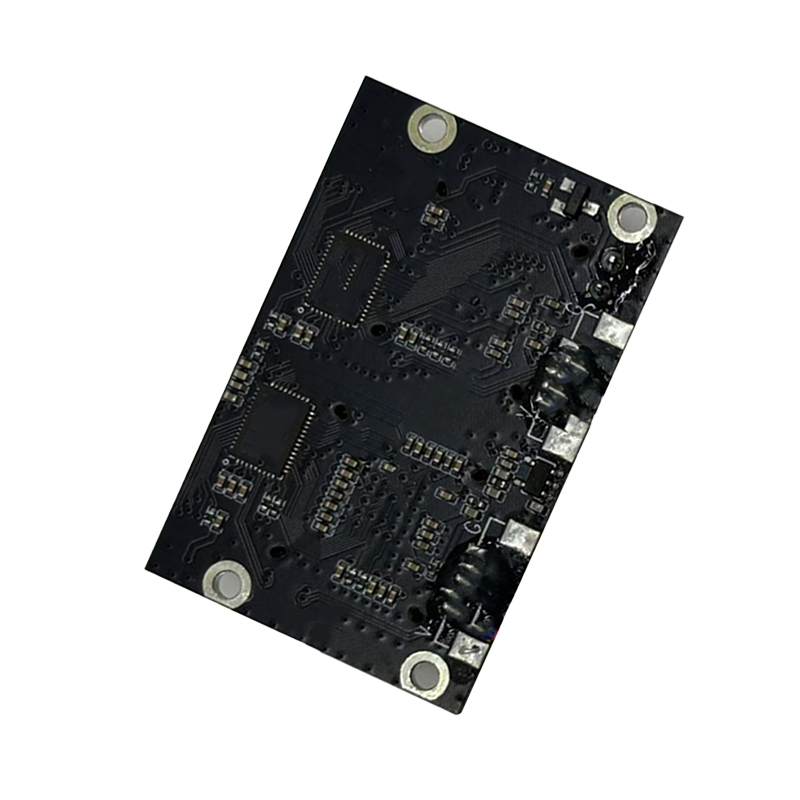
Newly upgraded dual 1080P finger vein palm print recognition facial recognition camera module CMOS sensor
Not a standalone book scanner, but relevant for OCR-adjacent identity projects. It supports face, palm-vein and finger-vein capture for OEM kiosks, access-control terminals and service counters where document OCR is paired with biometric verification.
- CMOS sensor
- Biometric capture
- OEM module
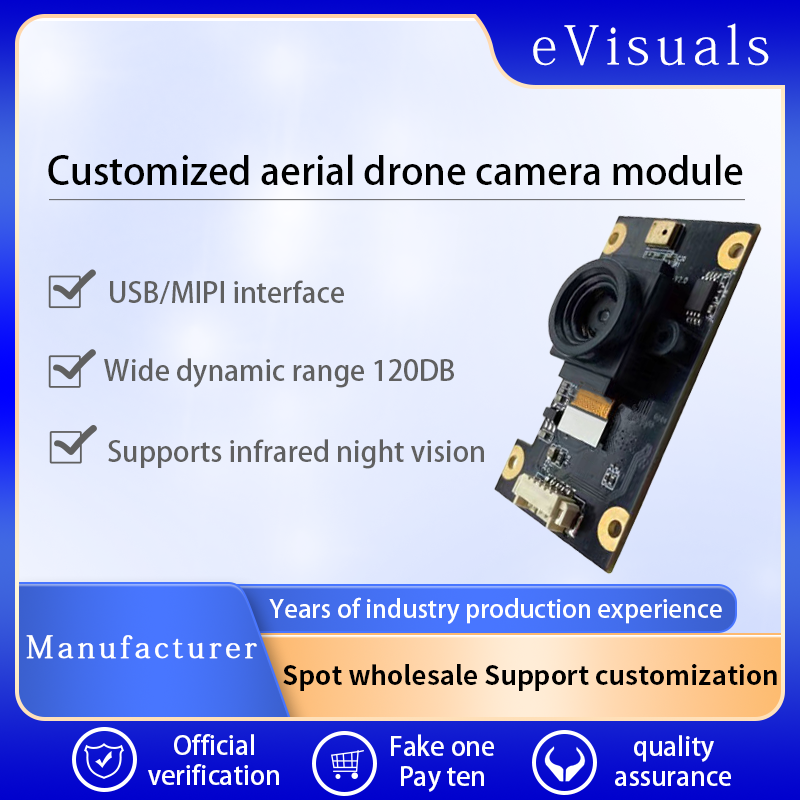
Factory customized 1080p 4K drone wireless video transmission HD aerial photography face recognition camera module
A wireless video module for drone and embedded-vision teams. San Jose hardware integrators can adapt it when the requirement is aerial inspection or face-recognition video rather than a finished document camera; lens, interface and enclosure are scoped before prototyping.
- 4K option
- Wireless video
- Face recognition

Wireless Robotic Frame Book Scanner Document Camera A3 A4 Size Management Document Scanner for Online Class
Purpose-built for A3 and A4 books, files and teaching materials. The rigid frame holds a repeatable camera-to-page distance, reducing focus hunting and perspective drift—two hidden causes of poor OCR on bound pages. It also works as a live visualizer for hybrid classes.
- A3 / A4
- Robotic frame
- Online class
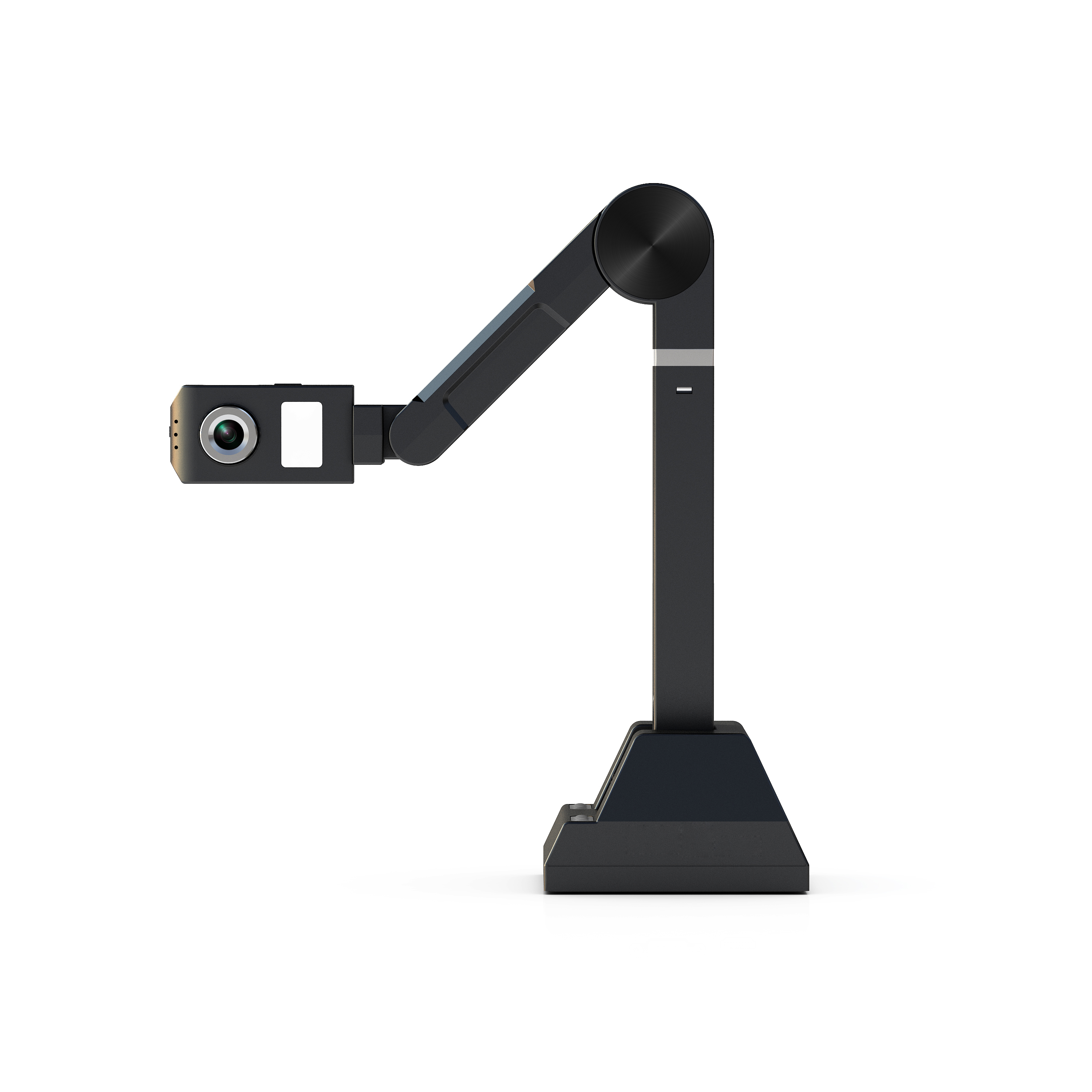
New design HD Camera 8MP 13MP auto focus Document Camera Scanner online educational equipment
An autofocus document camera scanner for online education and general book capture. Choose 8MP for A4 worksheets and routine lessons; choose 13MP when students must zoom into formulas, footnotes or detailed diagrams after capture.
- 8MP / 13MP
- Auto focus
- Online education
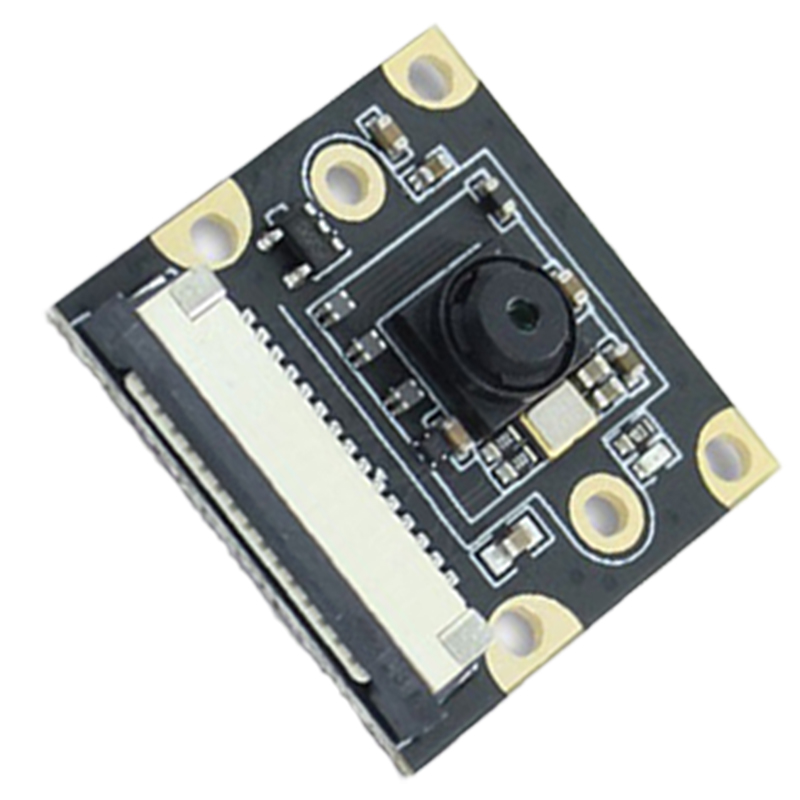
1080p/2K/4K camera module Nvidia development board sensor adjustable focal length webcam camera module
An adjustable-focal-length 1080p/2K/4K module for Nvidia development boards and custom vision products. Useful for OCR prototyping labs, edge-AI devices and machine-vision pilots that need a tunable lens rather than a consumer webcam.
- 1080p / 2K / 4K
- Adjustable focus
- Nvidia board
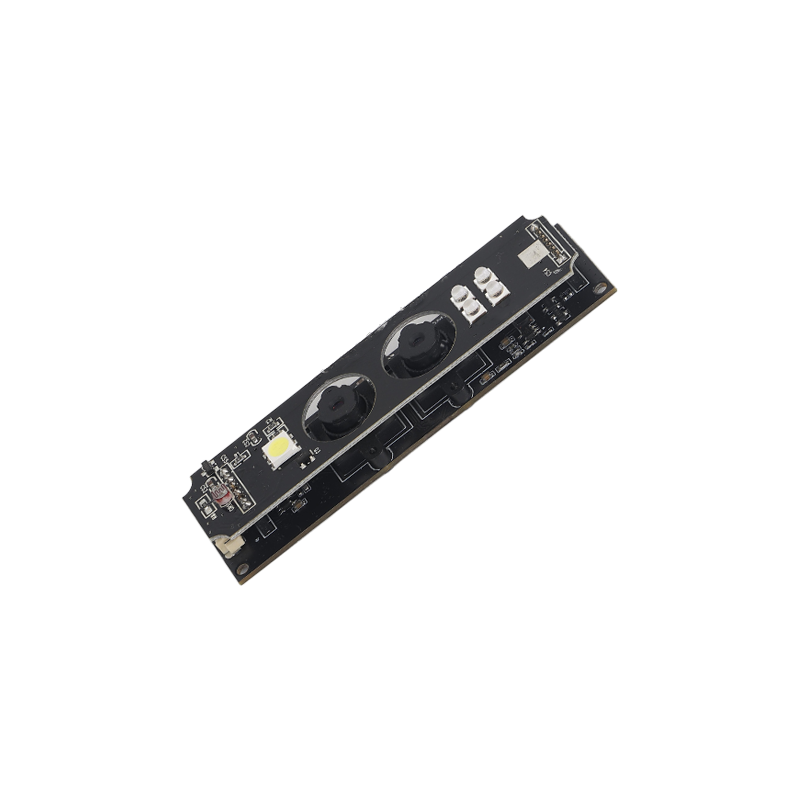
1080P/2K/4K HD binocular wide dynamic camera module CMOS sensor auto focus/fixed focus
A binocular wide-dynamic camera module with autofocus or fixed-focus options. For OEM teams exploring stereo depth, glare handling or dual-view capture, it provides a compact path from concept validation to pilot production.
- Binocular
- Wide dynamic
- Auto / fixed focus

Visual Presenter HD Camera 8MP 13MP auto focus Document Camera Scanner online educational equipment book camera
A visual presenter configuration for classrooms, tutoring centers and training rooms where books must stay visible during a lesson and be recorded clearly. Pair it with offline OCR software for lesson archives and searchable handouts.
- 8MP / 13MP
- Auto focus
- Book capture
Wholesale Support That Stands Up to San Jose Due Diligence
San Jose buyers compare image quality, documentation, customization risk and total landed cost. Eshuni’s factory data gives procurement teams a factual starting point before a sample is approved.
What OCR Book Scanner Buyers in San Jose Should Optimize For
OCR accuracy is often discussed as a software feature, but the capture device sets the ceiling. A scanner that produces uneven light, soft focus or curved text gives the OCR engine less to work with—and every downstream index inherits that uncertainty.
A book scanner is not simply a camera pointed downward. For bound material, the optical path must handle page curvature, gutter shadows, glossy paper, mixed page sizes and operator fatigue. For loose forms and public records, the workflow may favor a flatbed or automatic document feeder instead. The most expensive mistake is buying a high-megapixel device for a job that actually requires better geometry, stable lighting or a cleaner software handshake.
San Jose is a practical test market because so many organizations work at the intersection of education, public accountability, technology and professional services. A school may need to preserve course reserves and make them searchable. A library may need to digitize fragile local-history volumes without damaging them. A county records team may need repeatable page images for long-term retention. A hardware integrator may need an embedded camera module for a custom OCR appliance. Each use case changes the specification.
The right wholesale question is therefore not “which exporter has the lowest unit price?” It is “which factory can deliver a repeatable image, document the compliance, support the software stack and keep the same quality across reorders?” That is where information gain matters: better evidence about optics, focus, lighting, firmware and production control reduces risk before a San Jose purchase order is signed.
Overhead capture for bound material
Best for books, manuals, maps, A3 spreads and live teaching. The camera stays above the page, so staff do not flatten fragile spines against glass. A frame or book cradle improves consistency; autofocus and uniform lighting matter more than a headline megapixel count.
- Fast page preview and live magnification
- Works for OCR, visualizers and hybrid classrooms
- Needs attention to glare, page curl and framing
Flatbed or ADF for loose sheets
The better choice for standardized forms, single sheets and high-volume paper files. Document feeders can accelerate batch work, but they are not designed for fragile books or pages with staples. Keep a flatbed route for exceptions if your OCR workflow mixes books and loose paper.
- Strong registration for uniform forms
- Efficient for loose-page digitization
- Usually unsuitable for tight book gutters
Mobile capture for exceptions only
Useful for quick reference and low-risk documents, but unpredictable when lighting, angle and focus vary between operators. For regulated records, student data or identity checks, a fixed overhead scanner or countertop capture device is usually easier to audit and train.
- Low initial hardware cost
- High variance across operators
- Data handling must be reviewed carefully
Four Variables That Decide Whether OCR Book Scanning Succeeds
Use this as an engineering checklist when comparing samples. It is more useful than a single megapixel claim because OCR quality is a chain of optical and workflow decisions.
Optical path
Sensor resolution, lens sharpness and focus stability determine how much fine print survives. A well-focused 8MP image can be more useful than a soft 13MP image.
Page geometry
Curved pages, camera tilt and changing working distance create perspective error. A frame, cradle or repeatable stand improves consistency across hundreds of pages.
Lighting control
Glare from glossy paper and shadows near the gutter can erase strokes. Uniform illumination, diffusers and correct white balance matter for both OCR and visual review.
Software handshake
Resolution, frame rate, video compression and driver compatibility affect what the OCR application receives. Test your actual software with USB and wireless modes before rollout.
Match the Scanner to the OCR Job Before You Compare Quotes
The chart below is an illustrative planning fit, not a laboratory benchmark. Use it to narrow the conversation, then validate with your own books, forms, lighting and OCR application.
Workflow-fit planning chart
Illustrative planning fit for common San Jose capture scenarios.
Shortlist by document geometry, not by inbox volume
If the page can lie flat without damage, a flatbed or feeder may be the most economical route. If the material is bound, fragile or visually demonstrated to a class, overhead capture is usually the better operational design. If the device itself is being built into a kiosk, medical cart or AI vision product, the camera module becomes the specification rather than the finished scanner.
For a San Jose tender, require the supplier to state the test document set, lighting conditions, output resolution, driver support and what happens when the operator changes page size. A sample that works only with a demo sheet is not evidence of a production workflow.
| Product family from this page | Capture area | Typical OCR job | Why it fits | Validation point |
|---|---|---|---|---|
| Wireless Robotic Frame Book Scanner | A3 / A4 | Bound books, archive volumes, course reserves | Fixed working distance; repeatable page framing | Check spine handling and glare on glossy pages |
| OEM Document Camera A3 Portable Wireless 13MP | A3 | Portable full-page capture, worksheets, fine print | 13MP headroom; wireless or USB flexibility | Test deskewing after zoom and crop |
| HD 8MP / 13MP Auto-Focus Document Camera Scanner | A3 / A4 | Hybrid classrooms, tutoring, lesson archives | Autofocus convenience and familiar visualizer form | Confirm focus stability when switching page sizes |
| Visual Presenter HD Book Camera | A3 / A4 | Live book display, recorded lessons, searchable handouts | Optimized for presenting and capturing books | Pair with the intended OCR software before rollout |
| Dual 1080P Biometric Camera Module | Face / palm / vein | Identity verification alongside document OCR | Multi-modal biometric capture for kiosks and counters | Review data privacy and liveness requirements |
| 1080p / 2K / 4K Nvidia Camera Module | Custom | Embedded OCR prototypes and machine-vision pilots | Adjustable focal length for integration work | Confirm board interface, lens and firmware support |
Where OCR Book Scanners Earn Their Place in San Jose
Projects in and around San Jose often combine public-sector accountability, student data sensitivity and a strong technology culture. The device should fit the room, the staff and the software—not just the catalog.
K-12 and community colleges
Capture textbooks, worksheets, lab notes and student examples for hybrid lessons. A visualizer keeps the class engaged live, while recorded pages can be indexed later for searchable course materials.
Public libraries and archive rooms
Digitize local-history volumes, genealogy references and fragile circulating materials without forcing a flatbed press against the spine. Overhead capture supports cautious handling and quick page review.
City, county and special districts
Support permit files, case records, agenda packets and public counter capture. Standardized capture helps clerks produce legible images for records retention and Freedom of Information workflows.
Law firms and title companies
Capture deeds, discovery exhibits, signature pages and bound reference sets. Clear page images reduce manual re-keying and make document review more searchable across case teams.
Healthcare and insurance intake
Scan referral packets, signed forms and supporting documents at a counter or back office. When identity checks are required, pair document capture with a reviewed biometric module rather than adding an unmanaged phone workflow.
Technology and hardware integrators
Use Eshuni camera modules for OCR appliances, kiosks, AR wearables or vision prototypes. San Jose product teams can evaluate adjustable focus, binocular capture and Nvidia development board compatibility before committing to a custom enclosure.
San Jose OCR Trends Shaping 2025–2026 Sourcing Decisions
These trends are visible in requirements from education, public agencies and technology integrators across Santa Clara County. They change what a good wholesale quotation must include.
AI OCR raises the input bar
Multimodal document models can infer context, but they still depend on legible source images. Cleaner capture reduces rework, misindexed text and review time.
Hybrid archives remain practical
Paper still carries legal, operational and cultural value. The goal is not a paperless office overnight, but a repeatable bridge from bound records to searchable digital files.
One device, multiple workflows
Schools and public counters want a device that works as a live visualizer, document scanner and training aid. Multi-use hardware improves utilization but increases the importance of software testing.
Evidence-driven procurement
Buyers want certificates, patent evidence, test reports, clear trade terms and a support path after delivery. A wholesaler that cannot document the product becomes a project risk.
Why Eshuni Works as an OCR Scanner Exporter and Wholesale Partner
Shenzhen Eshuni Technology Co., Ltd. was founded in 2012 as a manufacturer and solution provider for information collection and identity verification. Our scope includes high-speed document scanners, video booths, book scanners, identity verification terminals, webcams and camera modules. Core hardware and software are developed in-house and protected by national patents.
14+ years of focused R&D
Our engineering team works on document cameras, visualizers, scanning hardware and embedded imaging. That focus helps translate a San Jose use case into practical sensor, lens, lighting and interface choices.
OEM, ODM and private label
Custom firmware, logo, packaging, accessory kits and housing changes can be scoped for wholesale programs. Buyers can start from a proven platform rather than funding a completely new development cycle.
Certified quality system
The factory operates an ISO 9001 quality management system, and product-level compliance includes CE, FCC, RoHS and China 3C. National patents protect in-house hardware and software development.
ERP-controlled production
Production and supply-chain management run through ERP processes, helping keep quality consistent and lead times predictable as orders move from sample to repeat wholesale batches.
Three-level technical support
Support covers product design, project design and on-site project application guidance. That structure is useful when a scanner must fit an existing OCR application, classroom display or public-counter workflow.
Export-ready commercial terms
We support FOB, EXW and DDP delivery terms and regularly ship to North America, South America, Western Europe, South Asia and Africa. San Jose delivery quotes can include the destination address and order mix.
From San Jose Requirements to Production-Ready OCR Hardware
A controlled process reduces the risk of a visually attractive sample turning into an unreliable deployment. Each step produces evidence for the next decision.
Define the OCR goal
Share book size, daily page volume, software stack, USB or wireless preference, operator skill and delivery ZIP code. Clarify whether the device is a standalone scanner or an embedded module.
Validate with real pages
Test your books, forms and lighting with a sample. Check focus, glare, capture speed, deskewing and compatibility with the intended OCR or visualizer application before approving volume.
Lock customization
Confirm logo, packaging, accessory kit, firmware settings and labeling. A private-label program should specify what is standard, what is custom and what documentation ships with each unit.
Ship and support
Choose FOB, EXW or DDP terms based on your import profile. Production is checked against the approved sample, then shipped with the agreed documentation and after-sales support path.
OCR Book Scanner FAQ for San Jose Wholesale Buyers
These are the practical questions we hear from schools, libraries, public agencies, integrators and private-label buyers before they request a sample.
Are you an OCR book scanner exporter or a San Jose retail store?
Which scanner should I choose for A3 books and full two-page spreads?
Can your document cameras work with third-party OCR software?
What is the minimum order for wholesale or private label?
Can you ship DDP to San Jose, California?
How do you protect student or applicant data during OCR capture?
Can I get samples, certificates and test reports?
Why do OCR errors still happen after buying a high-resolution scanner?
Request a San Jose-Specific OCR Scanner Quotation
Send us your book size, daily page volume, OCR software, USB or wireless preference and delivery ZIP code. Our team will recommend a model, outline OEM/ODM options and confirm FOB, EXW or DDP pricing for San Jose.
No obligation. Include your target specification and sample deadline for a faster engineering response.